For Aroma Joe's stores
See what really happened in each store last week.
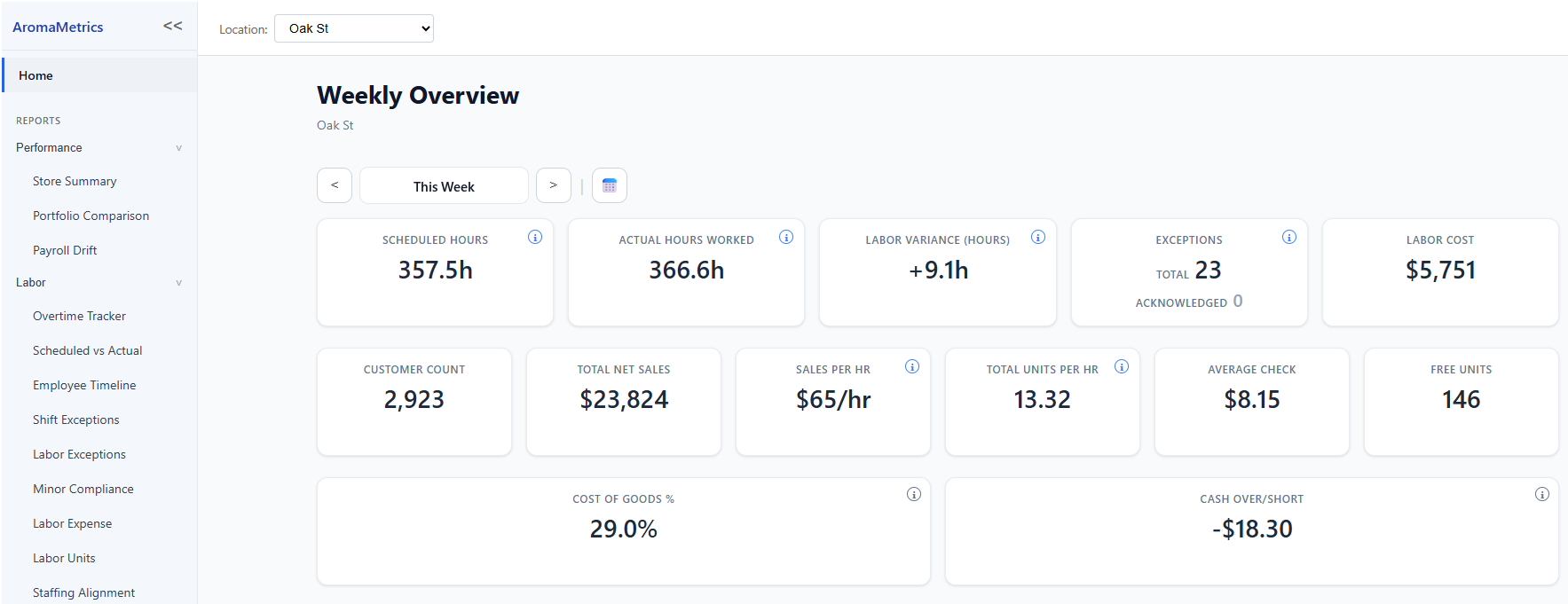
AromaMetrics reads the reports you already pull each week: your Retail Stack time cards, WISR, Control Sheet and Labor Units, and your schedule. It puts them on one page for each store and week.
No sales pitch. No meeting. Just try it.
Set up within 1 business day. Then log in and try it yourself.
How it works
- 1
Export
Pull the week's reports from Retail Stack and your scheduler, the way you do today.
- 2
Upload
Upload each file, in any order, on the Upload page. Each file is matched to its report.
- 3
See the week
Open Home or any report, pick the store and the week, and see what happened.
Set up within 1 business day. Then log in and try it yourself.
Your stores. Your data. One place.
See where to look, understand what happened, and find what needs attention.
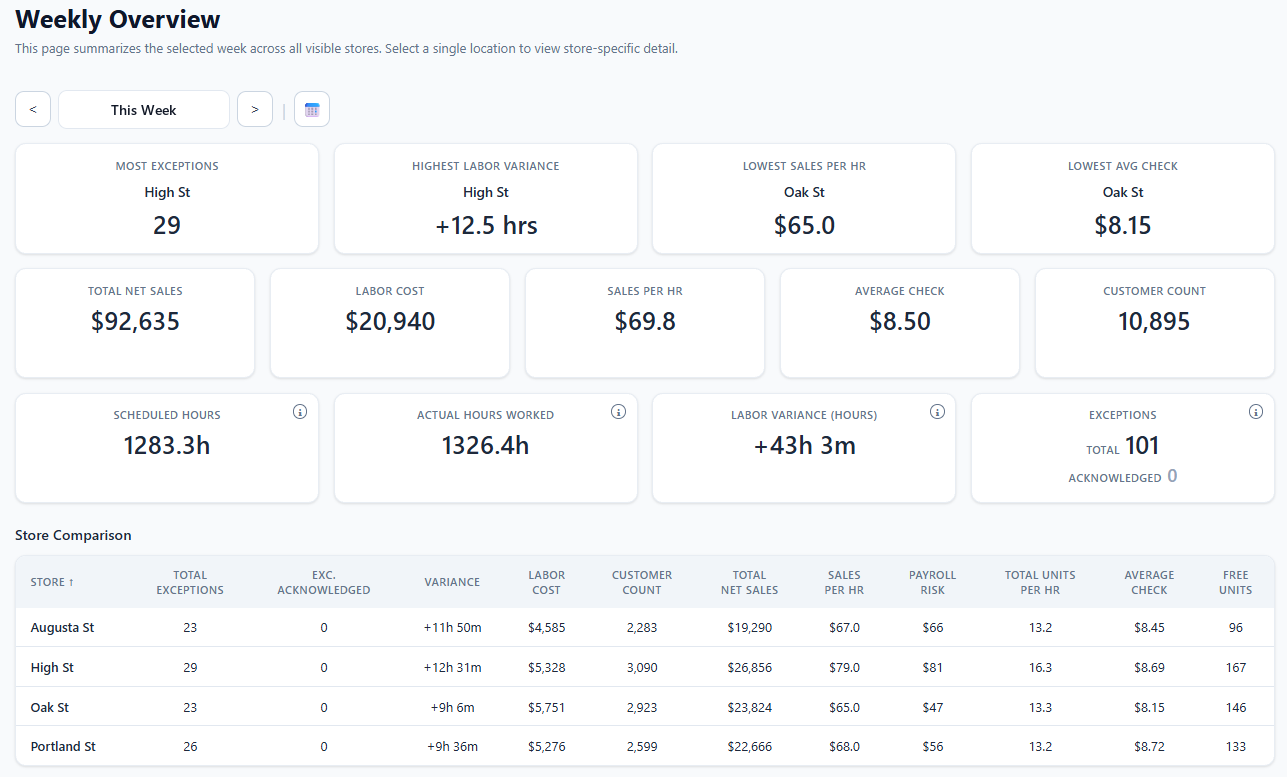
See where to look: Portfolio View
Compare your stores next to each other on one screen: which store has the most exceptions, the highest labor variance, the lowest sales per hour and the lowest average check, with every store in one table.
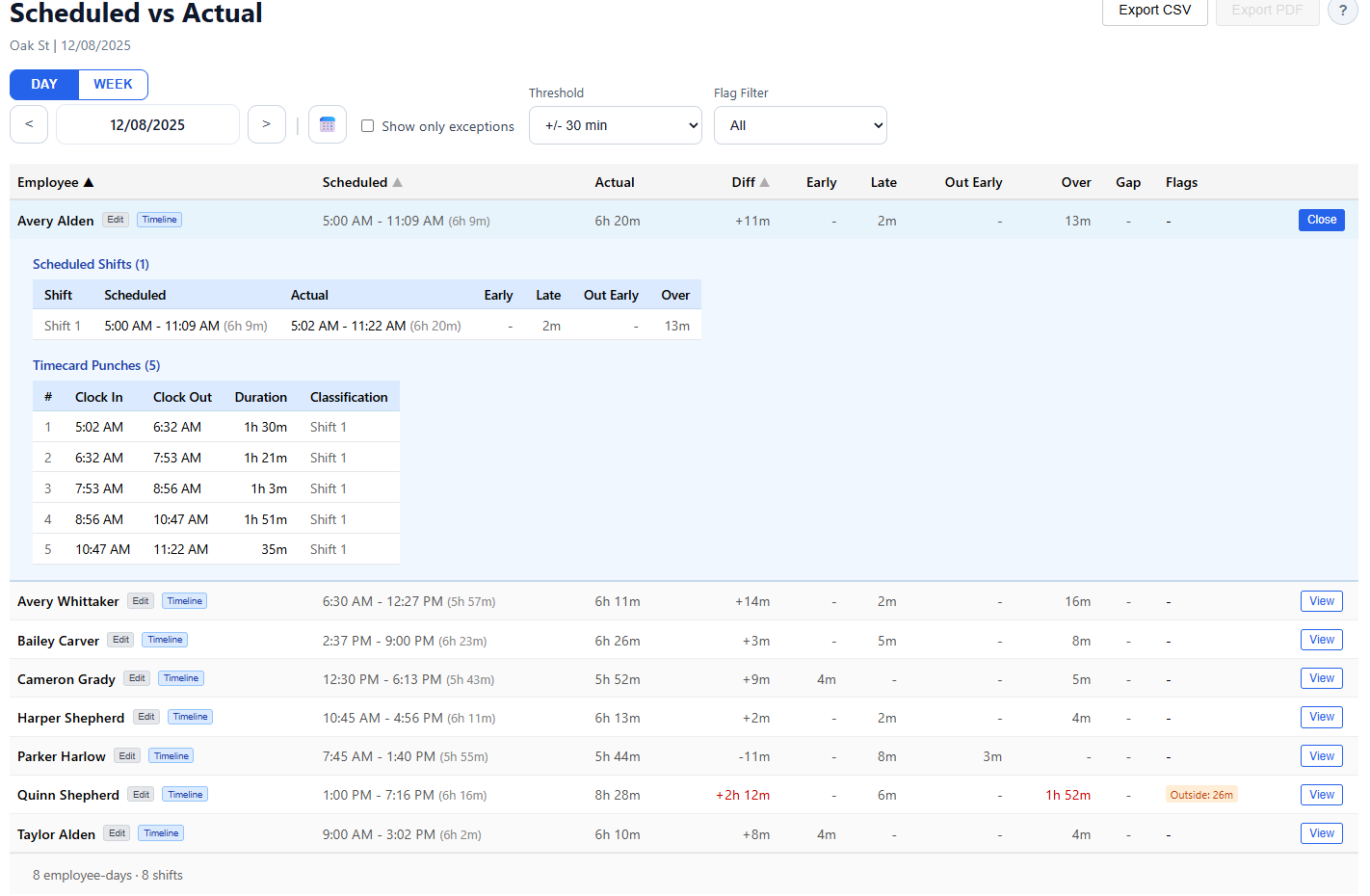
Connect the schedule to the punches
See what was scheduled, what actually happened, the difference, and every punch behind it.
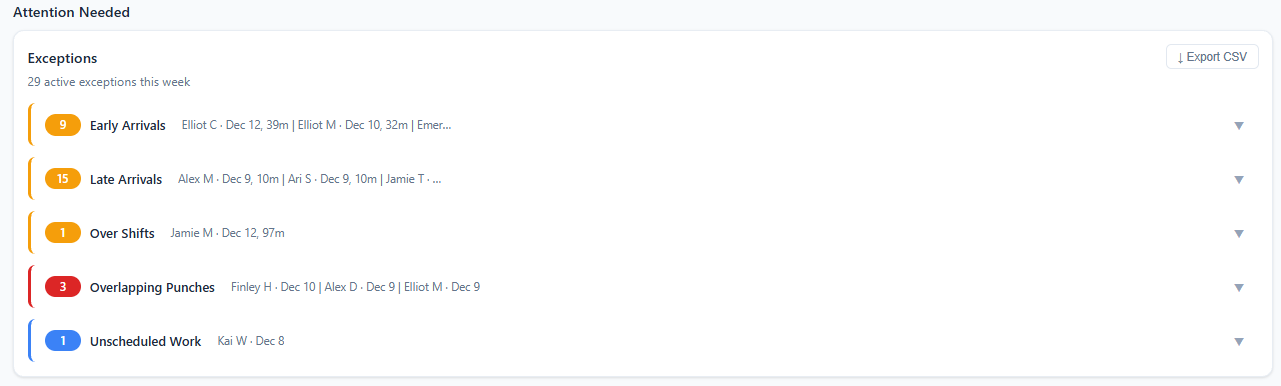
Find what needs attention
Early arrivals, late arrivals, over shifts, overlapping punches, unscheduled work and more, listed for the week.
What you see each week
Every number comes from your own reports. You decide what to do with it.
Hours and labor cost
Scheduled hours, hours actually worked, the difference, and what the week's labor cost.
Sales
Net sales, customer count, sales per labor hour and average check, from your WISR.
Exceptions
Early Arrival, Late Arrival, Early Departures, Over Shift, Unscheduled Work and more. Open one to see the punches next to the schedule, then acknowledge it.
Payroll Risk
Paid time outside the schedule, in dollars and hours: what was found, what a newer time card corrected, and what is still open.
Cost of Goods and cash
Cost of Goods % from the WISR and Cash Over/Short from the Control Sheet, for the same week.
Missing files
Which files and which days are missing for a week, so you know the numbers are complete.
Free, one per store
Not ready for a trial? Start with a free labor audit.
Send one or two weeks of your time card and schedule exports. We email you a report within 2 business days.
No sales pitch. No meeting. Just try it.
What the audit shows
- Paid time outside the schedule: early starts, staying past the shift, and time with no shift scheduled.
- The cost, hours and times for each, by employee and by date.
- Overlapping punches.
- Punches that look like a missed clock-out, with the schedule next to the punch.
- Time card entries with no wage or a $0 wage.
“Within five minutes I can see what I need to see and move on with my plan.”
Pricing at a glance
One price per store. Every store is priced at your store count's tier.
Loading prices…
Your first 14 days are free after you save a card. See the price for your stores
30-day money-back guarantee
Your first 30 paid days are covered. They start when your free 14 days end. If you aren't satisfied, cancel within 30 days of your first payment and we'll refund that payment.
To qualify, every store needs 4 full weeks uploaded, Monday to Sunday, with all five files for each week: Timecard, Schedule, Control Sheet, WISR and Labor Units. Earlier weeks count.
We check your uploads and send the refund ourselves.
Questions
Do I have to talk to anyone?
No. Sign up, we set up your stores within 1 business day, and you try it yourself. But you can if you want: info@aromametrics.com
Which files do I need?
Each week, from Retail Stack: your time card report, WISR, Control Sheet and Labor Units. From your scheduler: your schedule. You can start with any one of them.
Does it replace my POS, scheduler or payroll?
No. AromaMetrics only reads the reports you export. It doesn't change anything in your other systems.
When am I charged?
Your first 14 days are free after you save a card. Your card is charged on day 15. Cancel before then in Settings and you aren't charged.
Try it with your own stores.
Set up within 1 business day. Then log in and try it yourself.